Cybercriminals are constantly looking for ways to steal Instagram accounts through phishing scams, weak passwords, and leaked login credentials. Even if you use a strong password, your account can still be at risk if someone manages to obtain it. That’s where Two-Factor Authentication (2FA) comes in.


Two-Factor Authentication adds an extra layer of security by requiring a verification code whenever someone tries to log into your Instagram account from a new device. Even if a hacker knows your password, they won’t be able to access your account without this second verification step.
In this guide from Nobbe.site, you’ll learn how to enable Two-Factor Authentication on Instagram, understand the available verification methods, and discover best practices for keeping your account safe.
What Is Two-Factor Authentication?
Two-Factor Authentication (2FA) is an advanced security feature that protects your Instagram account by requiring two forms of verification:
- Your Instagram password.
- A one-time verification code or approval from your authentication app.
Without both, no one can access your account—even if they know your password.
Why Should You Enable 2FA?
Enabling Two-Factor Authentication offers several important benefits:
- Protects your account from hackers.
- Prevents unauthorized logins.
- Keeps your personal messages and photos secure.
- Adds an extra layer of security beyond your password.
- Reduces the risk of phishing attacks.
If you use Instagram regularly, enabling 2FA should be one of your first security steps.
Types of Two-Factor Authentication
Instagram offers multiple verification methods.
| Verification Method | Security Level | Recommended |
|---|---|---|
| Authentication App | ⭐⭐⭐⭐⭐ | ✅ Best Choice |
| SMS Text Message | ⭐⭐⭐⭐ | ✅ Good |
| WhatsApp Verification (Available in some regions) | ⭐⭐⭐⭐ | ✅ Good |
Authentication apps are generally considered the most secure option because they don’t rely on your mobile network.
How to Enable Two-Factor Authentication on Instagram
Follow these simple steps.
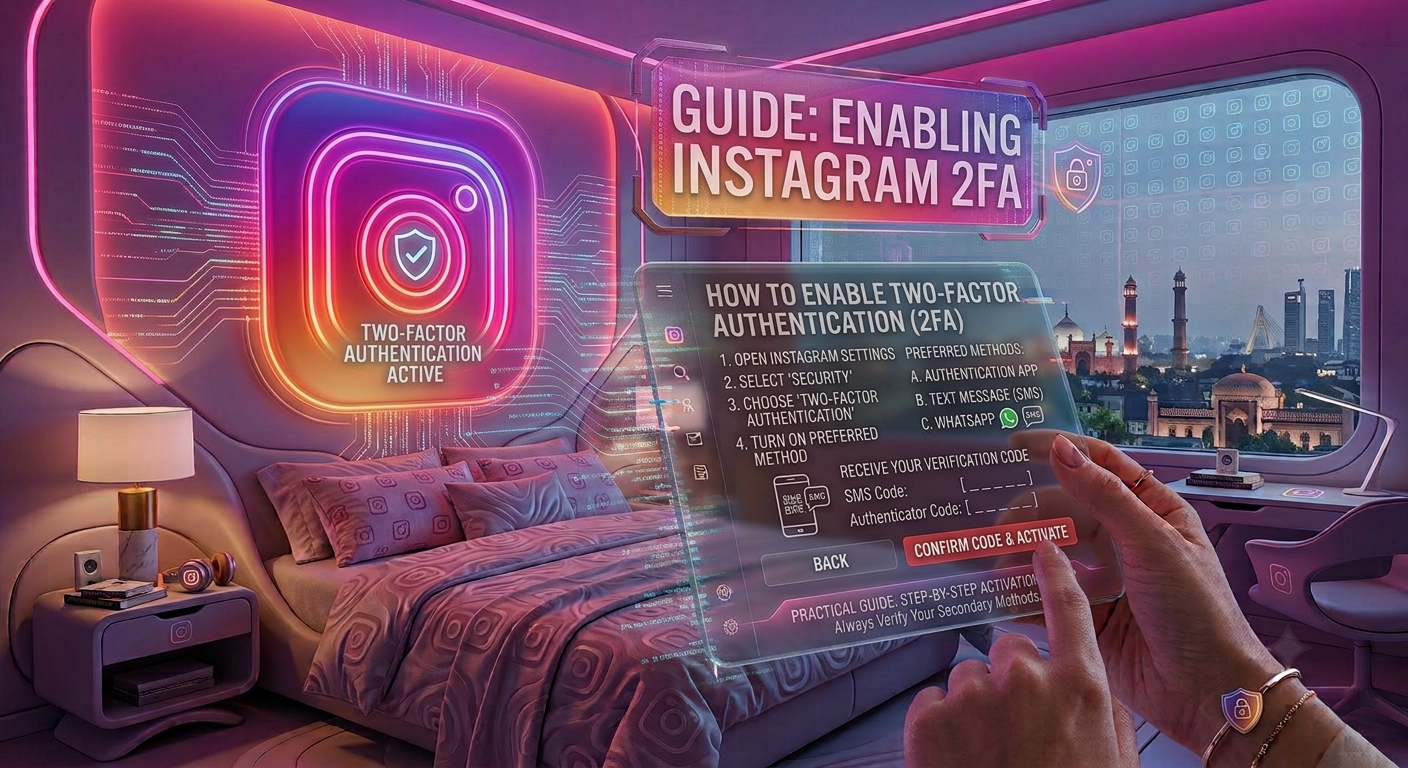
Step 1: Open Instagram
Launch the Instagram app on your Android or iPhone.
Step 2: Go to Your Profile
Tap your profile picture in the bottom-right corner.
Step 3: Open Settings
Tap the three horizontal lines in the top-right corner.
Select Settings and Privacy.
Step 4: Open Accounts Center
Tap Accounts Center.
Step 5: Select Password and Security
Tap Password and Security.
Step 6: Choose Two-Factor Authentication
Select Two-Factor Authentication.
Choose the Instagram account you want to protect if you manage multiple accounts.
Step 7: Select Your Verification Method
Instagram will ask you to choose one of the available methods:
- Authentication App
- SMS Text Message
- WhatsApp (if available)
Follow the on-screen instructions to complete the setup.
Authentication App vs SMS
| Feature | Authentication App | SMS Verification |
|---|---|---|
| More Secure | ✅ Yes | Moderate |
| Works Offline | ✅ Yes | ❌ No |
| SIM Swap Protection | ✅ Yes | ❌ No |
| Easy to Set Up | Yes | Yes |
For maximum security, use an authenticator app whenever possible.
Save Your Backup Codes
After enabling Two-Factor Authentication, Instagram provides backup codes.
These codes allow you to access your account if:
- You lose your phone.
- Your authentication app stops working.
- You can’t receive SMS verification codes.
Store these backup codes somewhere safe and never share them with anyone.
What Happens After Enabling 2FA?
Once enabled:
- Every new login requires a verification code.
- Unknown devices cannot access your account with only your password.
- You’ll receive alerts for new login attempts.
- Your account becomes much harder for hackers to compromise.
Common Mistakes to Avoid
Many users weaken their security by making simple mistakes.
Avoid these common errors:
- Sharing verification codes with anyone.
- Saving backup codes in an unsafe location.
- Ignoring login notifications.
- Using the same password on multiple websites.
- Disabling Two-Factor Authentication after enabling it.
Remember, Instagram employees will never ask for your verification code.
Additional Tips to Secure Your Instagram Account
Besides enabling 2FA, you should also:
| Security Tip | Benefit |
|---|---|
| Use a strong unique password | Prevents password guessing |
| Secure your linked email account | Protects password recovery |
| Review active login sessions regularly | Detects unauthorized devices |
| Beware of phishing messages | Prevents credential theft |
| Keep Instagram updated | Improves account security |
Combining these habits with Two-Factor Authentication provides excellent protection.
What If You Lose Your Phone?
If your phone is lost:
- Use one of your backup codes.
- Access your linked email account.
- Recover your authentication app if supported.
- Sign in and update your Two-Factor Authentication settings.
Having backup codes makes account recovery much easier.
Frequently Asked Questions
Is Two-Factor Authentication free?
Yes. Instagram provides Two-Factor Authentication at no cost.
Which verification method is the safest?
An authentication app is generally the most secure option because it isn’t vulnerable to SIM swap attacks.
Can I disable Two-Factor Authentication later?
Yes. You can turn it off through your security settings, although keeping it enabled is strongly recommended.
Will I need a code every time I log in?
Usually, you’ll only need a verification code when signing in from a new or unrecognized device.
Can hackers bypass Two-Factor Authentication?
While no security system is perfect, enabling 2FA makes it significantly more difficult for hackers to gain unauthorized access to your Instagram account.
Final Thoughts
Two-Factor Authentication is one of the most effective ways to protect your Instagram account from hackers and phishing attacks. By requiring a second verification step during login, it prevents unauthorized users from accessing your account—even if they know your password. Pairing 2FA with a strong password, a secure email account, and regular login checks provides a solid defense against most online threats.
At Nobbe.site, we publish trusted technology guides, cybersecurity tips, and practical Instagram tutorials to help users stay safe online. Visit Nobbe.site regularly for more expert advice on Instagram security, privacy settings, and digital safety.