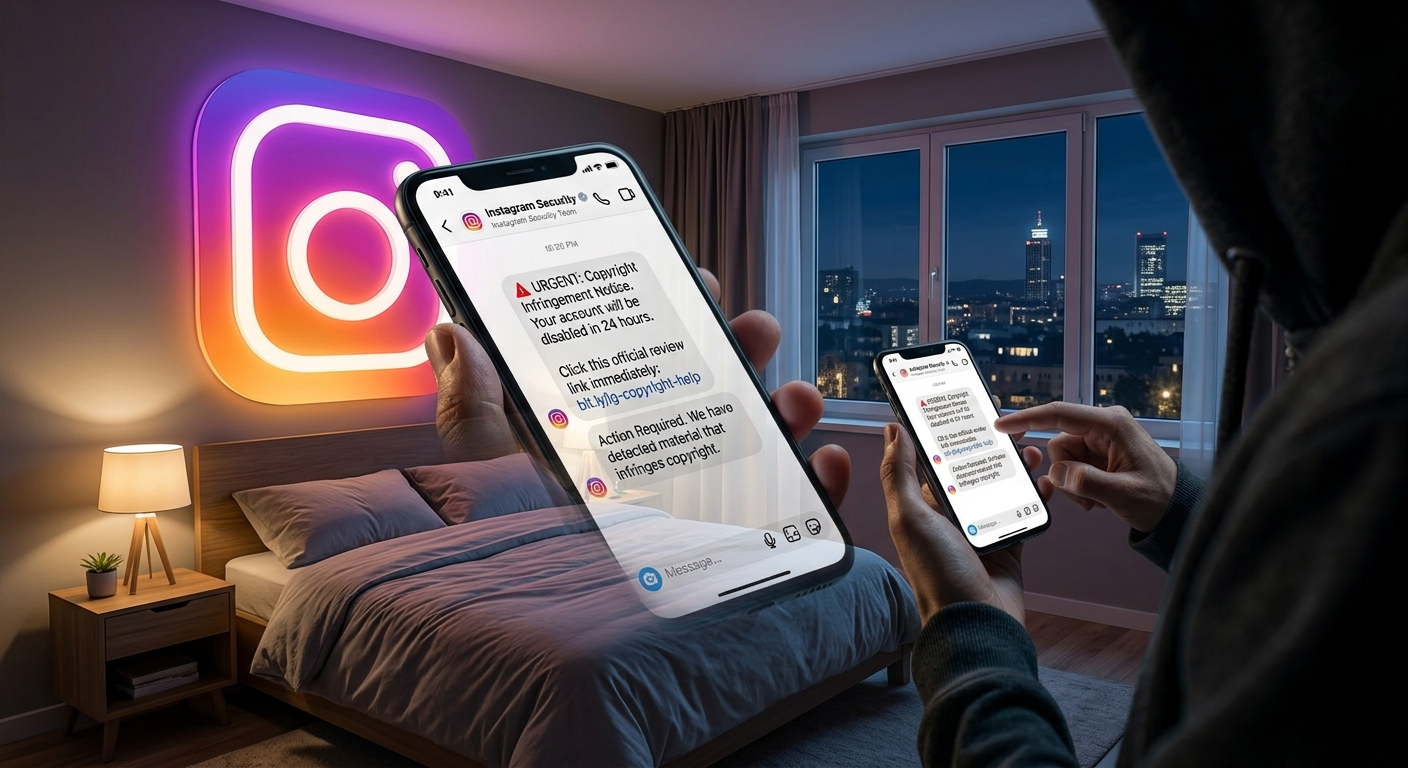
Instagram is one of the world’s most popular social media platforms, but it’s also a common target for scammers. One of the latest tricks involves fake copyright infringement messages designed to scare users into giving away their account information. These messages often look official and claim that your account has violated Instagram’s copyright policies. They usually ask you to click a link or verify your account to avoid suspension.
If you’ve recently received a fake copyright message on Instagram, don’t panic. In this guide by Nobbe.site, you’ll learn how to identify these scams, what to do immediately, and how to keep your account safe.
What Is a Fake Copyright Message?
A fake copyright message is a phishing scam that pretends to come from Instagram or Meta. The message usually claims:
- Your account has violated copyright rules.
- Your account will be permanently disabled.
- Your posts have been reported.
- You must submit an appeal immediately.
- You need to verify your identity.
The goal is to trick you into clicking a fake website where scammers steal your Instagram username, password, or personal information.
Common Signs of a Fake Copyright Notice
Use the table below to quickly identify whether a copyright message is genuine or fake.
| Fake Message Sign | What It Means |
|---|---|
| Urgent threats | Claims your account will be deleted within hours. |
| Suspicious links | Uses shortened or unfamiliar website addresses. |
| Poor grammar | Contains spelling or grammar mistakes. |
| Requests your password | Instagram never asks for your password through messages. |
| Sent from random accounts | Official notices don’t come from unknown users. |
If you notice one or more of these signs, it’s likely a scam.
What Should You Do First?
If you receive a suspicious copyright message, follow these steps immediately.
1. Don’t Click Any Links
Scammers often include fake appeal forms that look identical to Instagram’s login page. Avoid clicking any links until you’ve verified they’re legitimate.
2. Don’t Enter Your Login Details
Never type your Instagram username, password, recovery codes, or verification codes on a website reached through a message.
Instagram does not ask users to verify accounts through direct messages.
3. Check Official Instagram Emails
Open Instagram and go to:
Settings → Accounts Center → Password and Security → Recent Emails
This section shows official emails sent by Instagram. If the copyright warning isn’t listed there, it’s probably fake.
4. Report the Message
If the scam arrived through Instagram Direct Messages:
- Open the conversation.
- Tap the account name.
- Select Report.
- Choose Scam or Fraud.
Reporting helps Instagram remove malicious accounts.
5. Block the Sender
After reporting the account, block it to prevent future scam messages.
What If You Already Clicked the Link?
If you’ve already opened the link, don’t panic.
Immediately:
- Change your Instagram password.
- Change the password for the email linked to Instagram.
- Enable Two-Factor Authentication.
- Log out of all unknown devices.
- Review your login activity.
The faster you act, the lower the risk of losing your account.
How to Secure Your Instagram Account
Protect your account by following these security tips.
| Security Tip | Why It Matters |
|---|---|
| Use a strong password | Makes hacking more difficult. |
| Enable Two-Factor Authentication | Adds an extra layer of security. |
| Avoid unknown links | Prevents phishing attacks. |
| Review login activity | Detects unauthorized access. |
| Keep your email secure | Your email is the key to account recovery. |
How Does Instagram Send Real Copyright Notices?
If Instagram detects a genuine copyright issue, notifications are usually available through:
- The Instagram app.
- Official Meta support pages.
- Your registered email address.
- Account notifications.
Instagram does not ask for your password through direct messages.
Common Fake Copyright Scam Examples
Scammers often use messages like:
- “Your Instagram account will be deleted in 24 hours.”
- “Submit your copyright appeal now.”
- “Verify ownership immediately.”
- “Your content violated copyright laws.”
- “Click here to prevent permanent suspension.”
These messages are designed to create panic so you’ll act without thinking.
How to Tell if Your Account Is Safe
Check for these warning signs:
- Unknown login locations.
- Password changed without your permission.
- New posts you didn’t create.
- Messages sent to followers without your knowledge.
- Email address or phone number changed.
If you notice any of these, secure your account immediately.
Frequently Asked Questions
Can Instagram send copyright warnings?
Yes. Genuine copyright notices may appear through official Instagram channels or your registered email, not through random accounts asking for your password.
Should I reply to a fake copyright message?
No. Report, block, and delete the conversation instead.
Can scammers steal my account?
Yes. If you enter your login details on a fake website, scammers may gain access to your account.
Is it safe to click the link?
No. Avoid clicking suspicious links unless you’re certain they’re from Instagram’s official platform.
What if I accidentally entered my password?
Change your Instagram password immediately, secure your email account, and enable Two-Factor Authentication as soon as possible.
Final Thoughts
Fake copyright messages are becoming increasingly common on Instagram, but recognizing the warning signs can help you stay safe. Never trust messages that pressure you into clicking links or sharing your login credentials. Always verify account-related notifications through Instagram’s official settings and keep your security features up to date.
At Nobbe.site, we publish trusted technology and social media guides to help users stay informed and protect their online accounts. Follow our latest tutorials for more Instagram privacy tips, cybersecurity advice, and practical solutions to everyday tech problems.