Have you ever wanted to use Instagram without letting others know you’re online? Whether you’re checking messages, watching Reels, or browsing your feed, you may not always want friends or followers to see your activity. Fortunately, Instagram provides privacy settings that allow you to hide your active status and reduce your online visibility.

In this guide by Nobbe.site, you’ll learn how to hide your active status on Instagram, understand what happens after you disable it, and discover additional privacy tips to keep your account more secure.
What Is Instagram Active Status?
Instagram’s Active Status feature lets people you follow or have chatted with know when you’re online. It may display:
- A green dot next to your profile picture.
- “Active now.”
- “Active 5 minutes ago.”
- “Seen today.”
While this feature can make chatting easier, many users prefer to keep their activity private.
Why Hide Your Online Activity on Instagram?
There are several reasons why people choose to disable their active status:
- Browse Instagram privately.
- Avoid unwanted conversations.
- Reduce distractions while using the app.
- Protect personal privacy.
- Prevent others from tracking when you’re online.
Disabling this feature gives you more control over your Instagram experience.
Quick Overview
| Feature | Visible When Enabled | Hidden When Disabled |
|---|---|---|
| Green Online Dot | ✅ Yes | ✅ Hidden |
| Last Active Time | ✅ Yes | ✅ Hidden |
| Current Activity | ✅ Visible | ✅ Hidden |
| See Others’ Activity | ✅ Yes | ❌ No |
How to Hide Your Active Status on Instagram
Follow these simple steps:
Step 1: Open Instagram
Launch the Instagram app on your Android or iPhone.
Step 2: Go to Your Profile
Tap your profile picture in the bottom-right corner.
Step 3: Open Settings
Tap the three horizontal lines in the top-right corner.
Select Settings and Privacy.
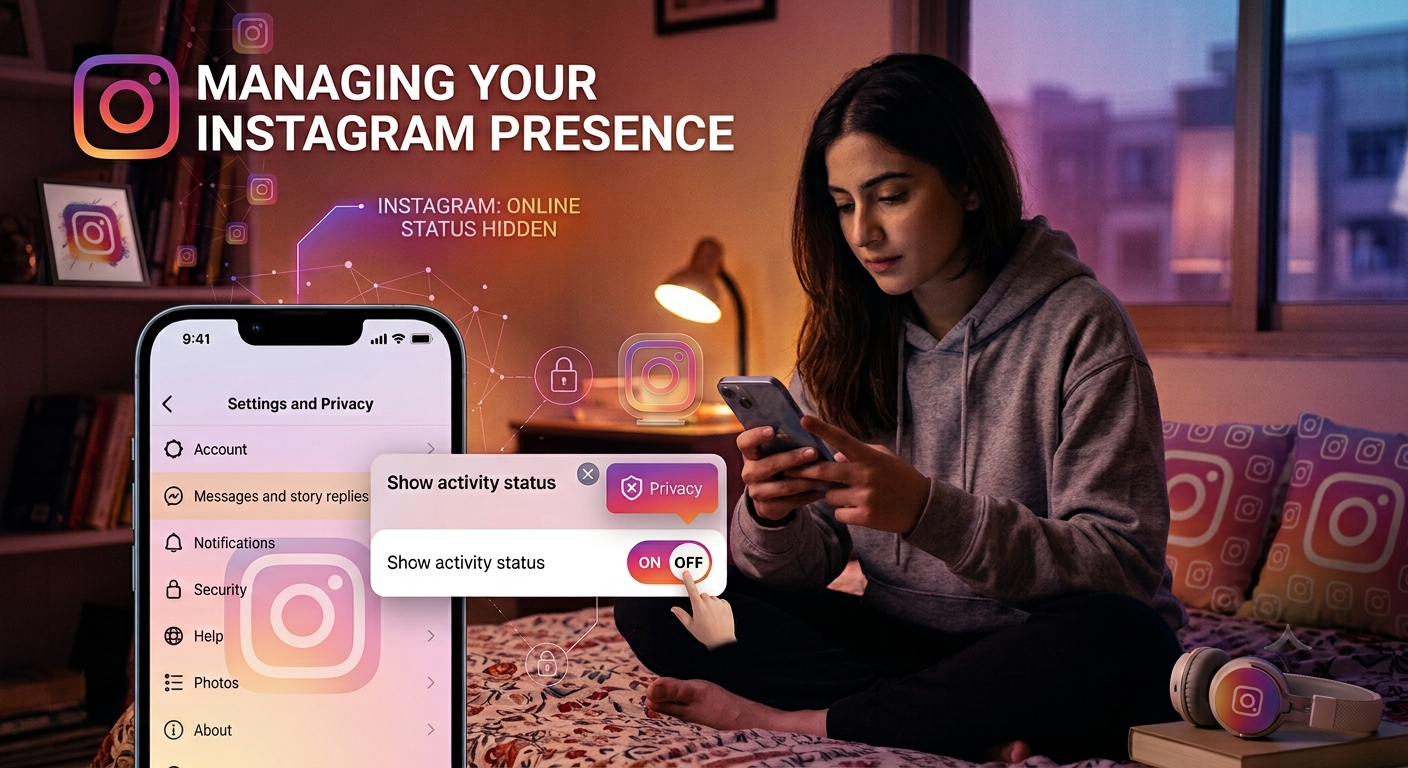
Step 4: Open Messages and Story Replies
Scroll until you find Messages and Story Replies.
Step 5: Select Show Activity Status
Tap Show Activity Status.
Step 6: Turn It Off
Disable the toggle beside Show Activity Status.
That’s it. Your online status will now be hidden from other users.
What Happens After Turning Off Active Status?
When you disable this setting:
- People can’t see when you’re online.
- Your green activity dot disappears.
- Your last active time is hidden.
- You also won’t be able to see when others are online.
This privacy setting works both ways.
Can You Hide Your Activity from Only One Person?
No.
Instagram doesn’t currently allow you to hide your active status from specific users only.
However, you can use these alternatives:
- Restrict the account.
- Block the person.
- Mute conversations.
- Limit who can contact you.
These options help improve privacy without deleting your account.
Additional Instagram Privacy Tips
Hiding your active status is only one part of protecting your privacy.
1. Make Your Account Private
A private account allows only approved followers to see your posts and stories.
Benefits include:
- Better profile security.
- More control over followers.
- Reduced spam.
2. Hide Stories from Specific People
Go to:
Settings → Story → Hide Story From
Choose the people who shouldn’t see your stories.
3. Restrict Unwanted Users
The Restrict feature quietly limits interactions without notifying the other person.
Restricted users:
- Have limited comment visibility.
- Send messages to requests.
- Cannot easily monitor your activity.
4. Review Connected Apps
Remove apps you no longer use.
This helps protect your Instagram account from unnecessary data sharing.
5. Enable Two-Factor Authentication
Adding two-factor authentication makes your account much more secure, even if someone learns your password.
Common Mistakes to Avoid
Many users accidentally expose their online activity because they forget these settings.
Avoid:
- Leaving Activity Status enabled.
- Accepting unknown followers.
- Using weak passwords.
- Ignoring privacy settings.
- Sharing personal information publicly.
Regularly reviewing your Instagram settings helps keep your account safe.
Does Airplane Mode Hide Your Activity?
Some users believe Airplane Mode hides their online status.
Unfortunately, this isn’t a reliable solution.
Once your phone reconnects to the internet, Instagram updates your activity.
The safest method is turning off Show Activity Status in Instagram settings.
Does Instagram Notify Others?
No.
Instagram does not send notifications when you disable your active status.
People will simply stop seeing:
- Your green online dot.
- Your last active time.
- Your current online status.
Best Privacy Settings for Instagram
| Setting | Recommended |
|---|---|
| Show Activity Status | Off |
| Private Account | On |
| Two-Factor Authentication | On |
| Story Controls | Customized |
| Restricted Accounts | Use When Needed |
| Connected Apps | Review Regularly |
Frequently Asked Questions
Can I still send messages after hiding my active status?
Yes. Turning off your activity status does not affect direct messaging.
Can I see other people’s active status?
No. Once you disable your own activity status, Instagram also hides others’ activity from you.
Does this setting work on Android and iPhone?
Yes. The steps are almost identical on both devices.
Will my followers know I’ve turned it off?
No. Instagram does not notify anyone when you disable your active status.
Can I turn it back on later?
Yes. You can enable Activity Status again anytime from the same settings menu.
Final Thoughts
If you value your privacy, hiding your active status is one of the easiest ways to control who can see your online activity. Whether you’re using Instagram for personal chats or simply browsing content, this feature helps you stay private without affecting your overall experience.
Along with disabling your active status, it’s a good idea to review other privacy settings, enable two-factor authentication, and keep your account secure. Small changes can make a big difference in protecting your personal information.
At Nobbe.site, we publish practical technology guides and easy-to-follow tutorials to help users get the most out of popular apps and online platforms. Keep visiting Nobbe.site for more helpful Instagram tips, privacy guides, and the latest tech updates.